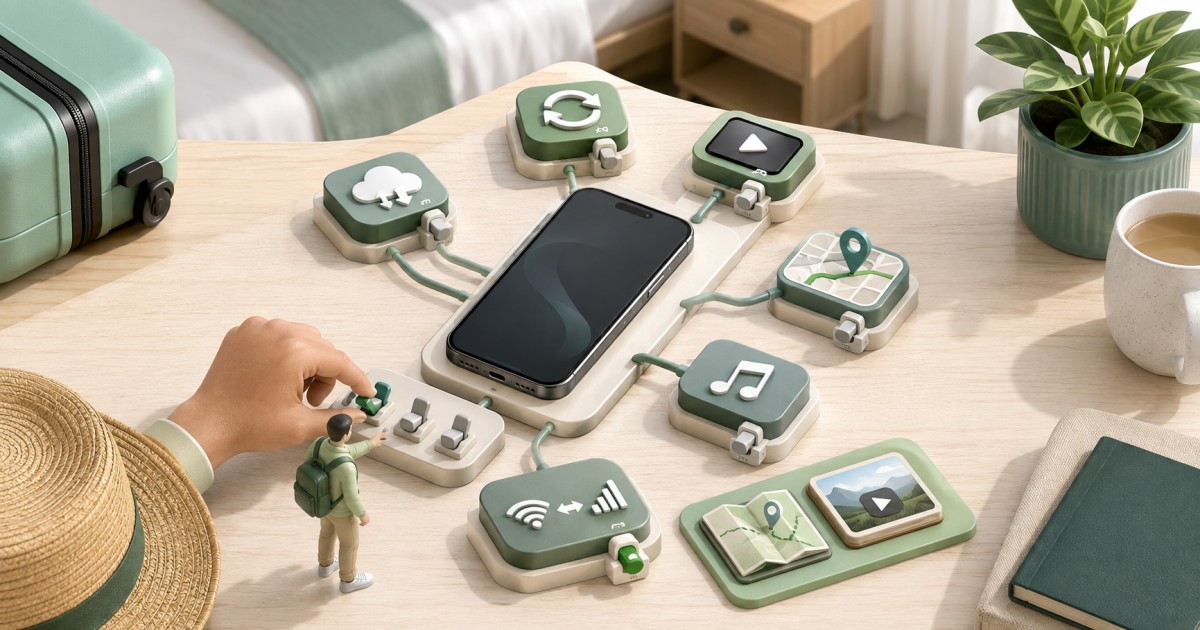
If your phone is lost or stolen mid-trip, the fastest path back to safety and connectivity is: remotely lock or erase the device from another internet-connected device, report the theft to local authorities and your eSIM provider, secure any accounts that use your number for verification, then set up your Global eSIM on a replacement phone once you have internet access. A Global eSIM lost or stolen phone while traveling situation is stressful precisely because your phone is usually your only way to communicate, navigate, and pay, so having a plan before departure matters more than the plan itself.
This guide breaks the response into three phases: what to prepare before you leave home, what to do in the first hour after a phone goes missing, and how to actually restore mobile data on a new or borrowed device once you are safe. It includes separate notes for iPhone and Pixel because the underlying eSIM transfer and reinstallation mechanics differ by device and carrier.
Global eSIM Lost or Stolen Phone While Traveling: The First Hour Matters Most
The first hour after realizing your phone is gone is when you have the least information and the most to lose. Multi-country travelers face an extra complication: a phone lost in one country may need to be replaced or reconnected in a different country days later, which affects which carriers, stores, or shipping options are realistically available to you. Treat the first hour as triage, not repair. Your goal is to stop unauthorized access and reach someone who can help, not to have a working phone again immediately.
Phase 1: Prepare Before You Depart
Most of what makes a lost-phone incident recoverable happens before you ever leave home. The U.S. State Department's travel guidance on staying connected abroad recommends carrying a backup means of communication and keeping emergency contact information accessible independent of your primary phone, which is exactly the mindset this phase builds around (travel.state.gov communication abroad guidance).
- Save your eSIM purchase records. Screenshot or email yourself the QR code, order confirmation, and provider account login for your Global eSIM plan. Many providers require proof of purchase to discuss a replacement or transfer.
- Note your device's IMEI number before departure (dial *#06# or check Settings). Police reports and insurance claims usually ask for it.
- Enable Find My iPhone or Find My Device so you can remotely locate, lock, or erase the phone from any browser or another device.
- Write down emergency contacts and account recovery details somewhere that is not only on the phone itself, such as a printed card, a cloud note accessible from any browser, or a second device.
- Carry a backup communication option: a low-cost secondary phone, a travel companion's device you can borrow briefly, or simply knowing which hotels, airports, or cafes nearby offer free WiFi.
- Check your specific eSIM provider's transfer and replacement policy before you leave. Policies on reissuing a plan to a new device vary by provider and are not something this guide can promise will work the same way for everyone.
If your itinerary spans several countries, having a single Global eSIM plan that already covers your route in place before departure reduces how many separate local SIM purchases you would otherwise need to replicate on a replacement device. It is also worth reading whether you should install your eSIM before travel so the profile is already active and backed up under your provider account rather than sitting only as a QR code on the lost phone.
Phase 2: Secure Accounts and Communicate After Your Phone Is Lost or Stolen Abroad
Once you realize the phone is gone, work through these steps in order, using any borrowed device, hotel business center computer, or public WiFi connection.
- Lock or erase the device remotely. Sign in to Find My (iPhone) or Find My Device (Android/Pixel) from a browser and mark the phone as lost, which locks it and can display a message with an alternate contact number.
- Report the theft to local police if the phone was stolen rather than simply misplaced. Many countries require a police report number for insurance claims or carrier fraud protection, and requirements differ by jurisdiction.
- Contact your eSIM provider to report the device lost or stolen and ask them to suspend the line if that option exists, then ask specifically about their process for transferring or reissuing your remaining data balance to a new device. This is provider-specific, so confirm directly rather than assuming any particular outcome.
- Secure accounts that rely on your phone number for two-factor authentication, including banking apps and email. If you are unsure how SMS verification behaves on an eSIM in the first place, review how bank verification texts work on a travel eSIM before you assume a text will reach you at all.
- Notify travel companions, your accommodation, and your emergency contact so they know how to reach you through an alternate channel while you sort out a replacement device.
Phase 3: Restore Connectivity on a Replacement Device
A replacement phone, whether purchased locally, shipped from home, or borrowed, generally needs an active internet connection before you can even begin eSIM setup, since activation typically happens over WiFi or another data connection rather than offline. Plan on using hotel, airport, or public WiFi to get the new device online first before attempting to resolve your Global eSIM lost or stolen phone while traveling situation any further.
Exactly how you get your Global eSIM working again depends on three things: the replacement device itself, your original carrier or provider account, and whether that provider supports reissuing a profile to a new device at all. None of these steps are guaranteed to work identically across providers, and remote reactivation onto a new device is not something every plan supports, so check your provider's specific policy before assuming a straightforward transfer.
iPhone: Reinstalling or Transferring Your eSIM
Apple's own support documentation explains that setting up cellular service on iPhone can involve either activating a new eSIM from your carrier or, on supported devices and carriers, transferring an existing eSIM plan through the Settings app or during device setup (Apple's cellular service setup guide). If your original iPhone is gone, you will typically need to contact your eSIM provider from a new or borrowed device to request a fresh activation QR code or profile rather than assuming the old one will migrate automatically. If the replacement iPhone is carrier-locked, review how eSIMs behave on a locked iPhone before you purchase or borrow one abroad.
Pixel: Reinstalling or Transferring Your eSIM
Google's Pixel support documentation covers downloading and managing eSIMs directly in phone settings, and notes that transfer support depends on the carrier and plan (Google Pixel eSIM support). On a replacement Pixel, expect to contact your provider for a new QR code or activation link rather than expecting the plan to reappear automatically, and confirm with the provider whether your remaining data balance can be moved at all.
Before buying a replacement phone anywhere, use the eSIM device compatibility checker to confirm the model actually supports eSIM, since not every phone sold internationally does, and once you have a working profile again you can troubleshoot connection issues using the fixes in eSIM not working after landing.
| Step | iPhone | Pixel |
|---|---|---|
| Remote lock/locate | Find My (iCloud.com or another Apple device) | Find My Device (google.com/android/find) |
| Where eSIM is managed | Settings > Cellular | Settings > Network & internet > SIMs |
| Getting a new profile | Contact provider for reissued QR code or transfer link | Contact provider for reissued QR code or transfer link |
| Transfer guarantee | Depends on carrier and provider support | Depends on carrier and provider support |
Why a Multi-Country Global eSIM Simplifies Recovery From a Lost or Stolen Phone While Traveling
Travelers moving between several countries on one trip face a specific complication when a phone is lost or stolen abroad: buying a local SIM in each new country to replace the lost one is slow, requires local ID in some countries, and does not carry over any remaining balance. A single Global eSIM plan that already spans your route reduces this friction, because reissuing one profile from one provider is simpler than tracking down local retailers in every country on your itinerary. If your original plan was purchased through the same marketplace, you can also use the plan finder to quickly compare a replacement plan that matches your remaining destinations.
Frequently Asked Questions
Can I transfer my Global eSIM to a new phone remotely?
Sometimes, but not always. Transfer availability depends on your device, your carrier, and whether your specific eSIM provider supports reissuing a profile to a new device, so confirm this with your provider directly rather than assuming it will work the same way every time.
Does a replacement phone need internet access before I can reinstall an eSIM?
Yes, in almost all cases. eSIM activation is typically completed over an existing internet connection such as WiFi, so you will usually need to get the new or borrowed device online first before you can scan a new QR code or complete an eSIM transfer.
What should I do first if my phone is stolen rather than just lost?
Report the theft to local police as soon as possible, since many insurance claims and some carrier fraud protections require a police report number, and requirements vary by country. Then remotely lock the device using Find My or Find My Device from any other internet-connected device.
Will I still receive bank verification texts if my eSIM is reissued to a new phone?
This depends on whether your provider transfers your original number or issues a new one, and on how your bank's two-factor authentication is configured. Understanding these limitations in advance is one of the most overlooked parts of planning for a Global eSIM lost or stolen phone while traveling scenario, so review the mechanics before you rely on SMS codes during an emergency.
Should I buy one Global eSIM plan or separate local eSIMs for each country on my trip?
A single Global eSIM plan generally simplifies recovery after a lost or stolen phone because you only need to work with one provider's replacement process instead of sourcing local SIMs in multiple countries, which matters most if you are dealing with a Global eSIM lost or stolen phone while traveling across several borders.